Mobile patrol and alarm response software
Hitdesk plans every patroller’s run, sends alarm call-outs to the nearest officer by drive time, and keeps keys, codes and vehicles accounted for. Your control room sees it all, live, and your officers need only their phone.
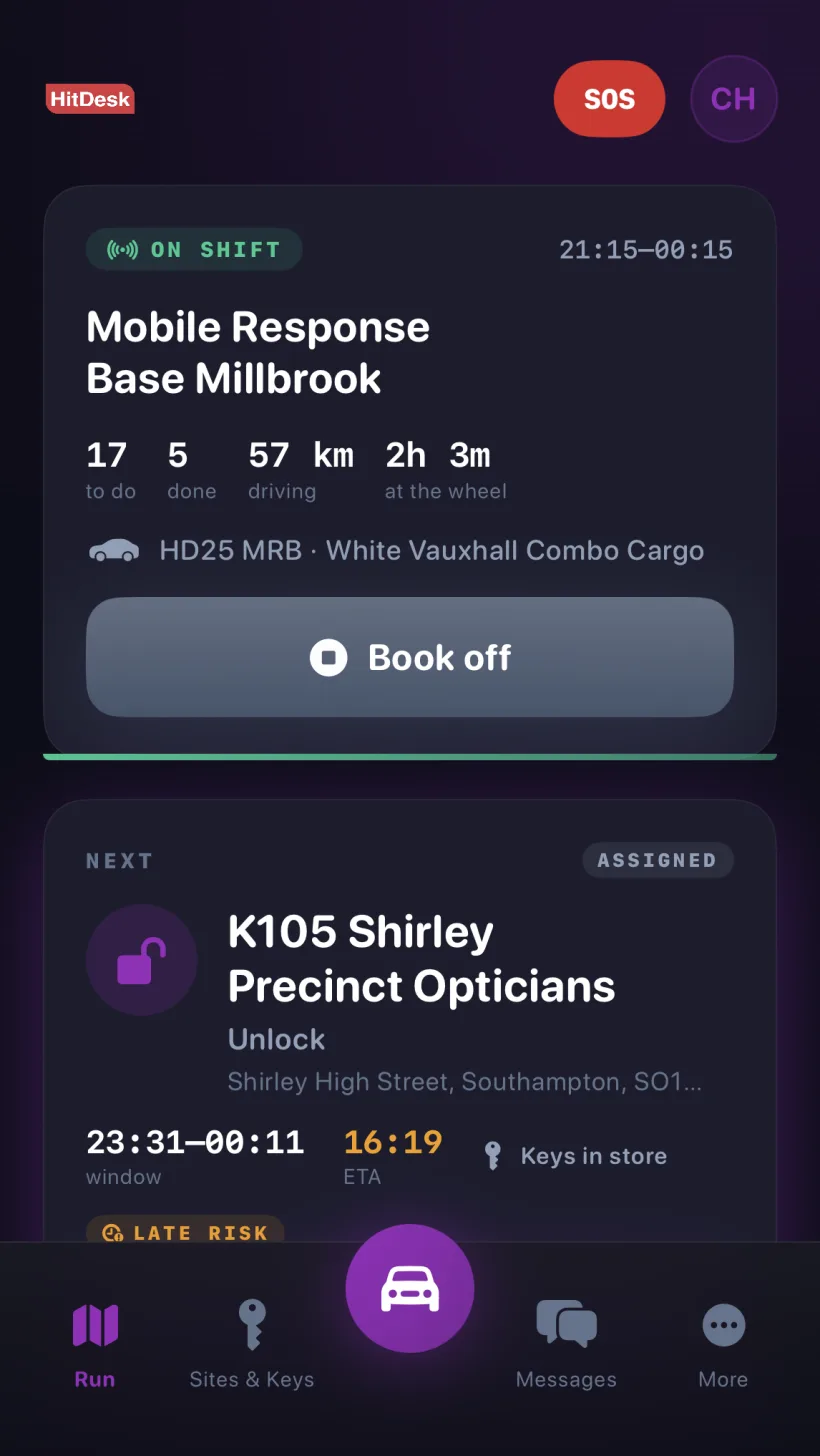
Every stop planned before the van leaves the yard
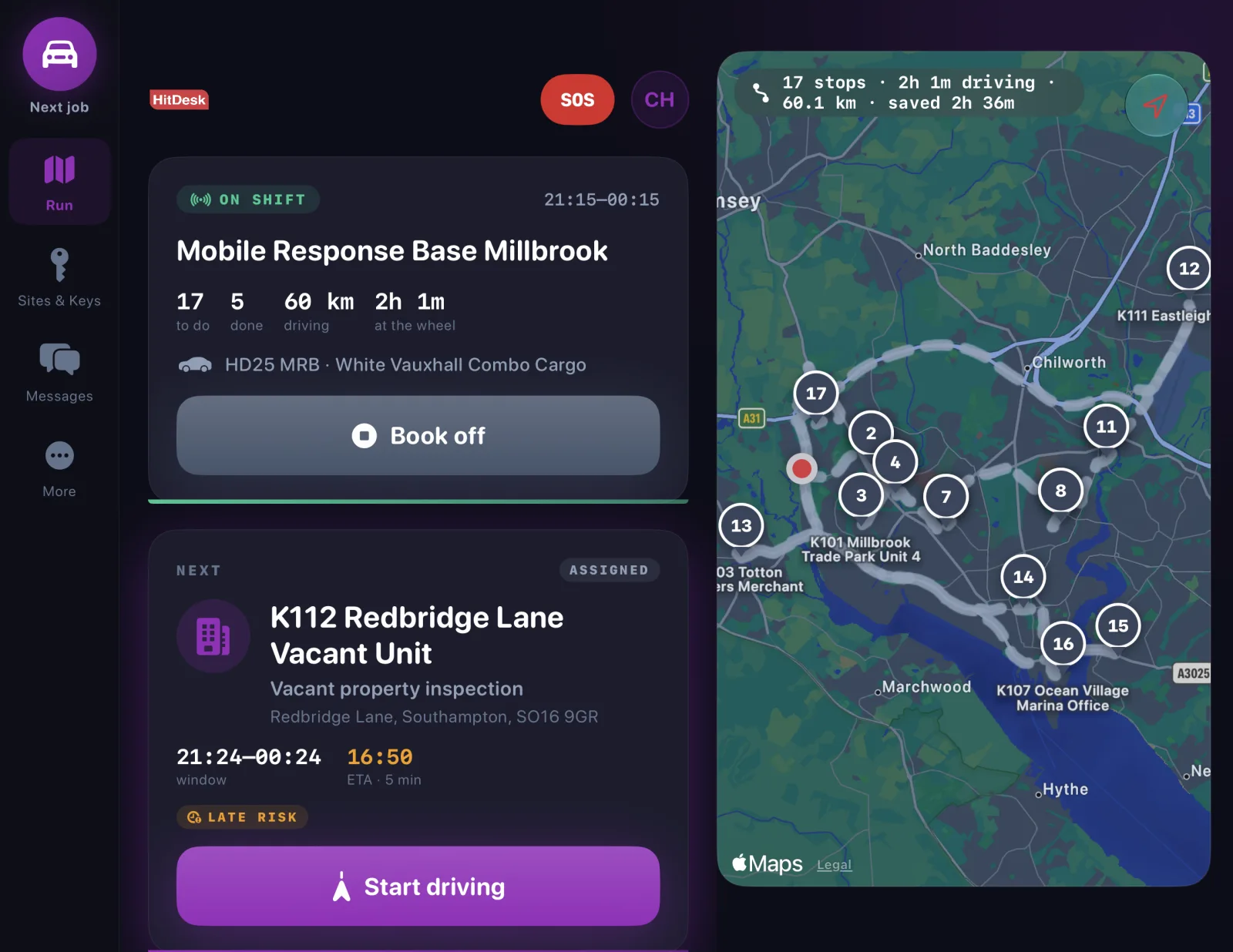
Mobile patrol officers book on with their vehicle and get the whole evening at a glance: how many visits are left, how far they will drive and how long they will be at the wheel. Hitdesk orders the stops so the run takes less time, and keeps the ETA for the next one up to date as they go.
- Every stop for the shift, in the best order, with an arrival window and ETA
- Drive time and distance for the run, and the time saved by the plan
- New visits and call-outs drop into the run on the officer’s phone
- An SOS button on every screen, with welfare checks while they are lone working
Everything a mobile security team needs
Built for UK mobile patrol and keyholding teams, and the work they actually do on a night shift.
Runs that plan themselves
Each patroller gets the shift’s visits in the best order, with an arrival time for every stop. One tap opens directions in Apple Maps, Google Maps or Waze.
Alarm call-outs in a tap
Hitdesk lists who is nearest by drive time, including who already holds the keys. The officer accepts or declines from the notification itself.
Declined? Send it on
If someone can’t attend or doesn’t answer, the control room is told. Send to someone else lists everyone else on shift, nearest first.
Keys and codes, under control
Officers sign keys out and back in with a signature. Access codes stay hidden until revealed, and every reveal is recorded against the officer.
Tamper-evident seal checks
Seal numbers are recorded when keys go out and come back. A mismatch flags the record as possible tampering and alerts the control room.
Visit reports with every checkpoint
Each checkpoint is logged with its time, location accuracy and photo, and numbered on the route map in the report.
Breaks scheduled into the run
Control sets a break and its time window, and Hitdesk fits it between visits. Officers on a break are offered call-outs last.
Late risk before it’s late
Live ETAs flag a visit at risk of missing its window, so control can step in before the customer notices. On iPhone, the next stop shows on the Lock Screen.
Vehicle checks that act
A failed critical item takes the vehicle off the road, emails your operations contact and alerts control. Odometer readings keep the mileage up to date.
Keyholding that stands up to an audit
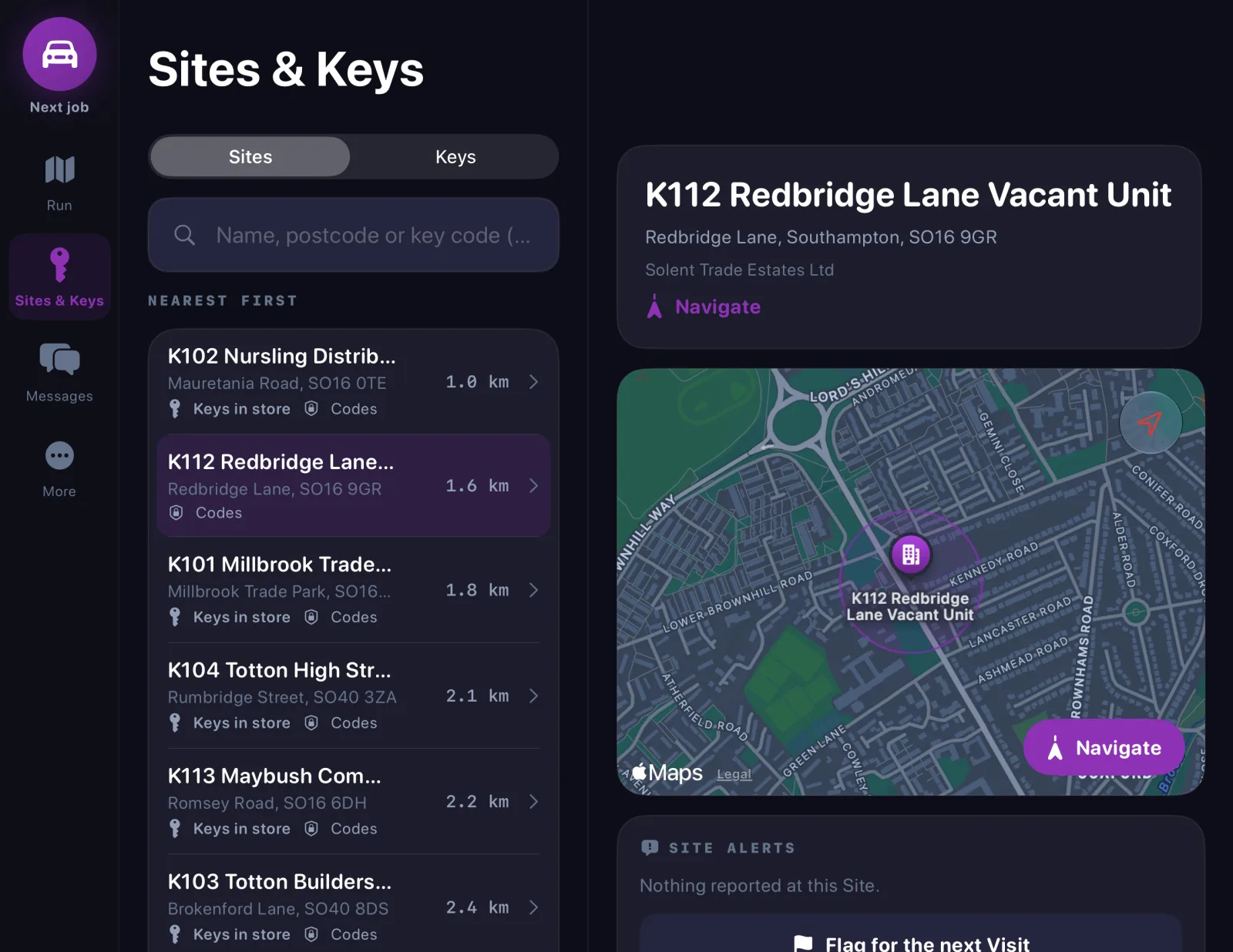
Officers find any site in seconds and see how to get in, without a folder of key sheets in the van. Codes are masked until an officer reveals them, every reveal is logged, and seal numbers are checked each time keys change hands. Your customers get a key history they can trust.
- Every keyholding and patrol site, sorted nearest first
- Search by site name, postcode or key code
- Keys in store, access codes and directions on one screen
- Site alerts flagged by one officer for the next visit
Replace the vehicle trackers with the phone in their pocket
The Mobile Division board shows every patroller’s run, live position and route driven, with late-risk visits, declined call-outs, vehicles off the road and key seal mismatches raised as escalations. Trips and mileage are recorded for every shift, so you no longer need separate vehicle GPS trackers.
It sits inside the same Hitdesk platform as your rota, timesheets, invoicing, incidents and SIA compliance, so mobile officers are scheduled, paid and vetted alongside the rest of your team.
Raised to the control room automatically
- Visits at risk of missing their window
- Call-outs declined or left unanswered
- Breaks that weren’t taken
- Vehicles taken off the road by a failed check
- Key bags with an unexpected seal number
- SOS alerts and missed welfare checks
Not another patrol app. The system your whole company runs on.
Mobile Response is one part of Hitdesk. The officers on your runs are recruited, vetted, rostered, paid and invoiced for in the same platform as your static guards, your control room and your clients. One login, one set of records, and no data copied between systems.
People Management
Store documents, qualifications, training records, and compliance status. Get automated alerts before anything expires.
Compliance & Licensing
Industry-specific compliance templates for SIA, CQC, and AWR requirements. Automated reporting that's always audit-ready.
Scheduling & Rota
Build and publish rotas in minutes. Handle shift swaps, availability, and last-minute changes effortlessly.
Mobile & Lone Working
The Hitdesk mobile app delivers lone worker protection, real-time GPS tracking, and offline incident reporting to every worker.
Reporting & Analytics
Dashboards and reports across all your operations — from individual worker performance to company-wide compliance trends.
Client Portal
A branded portal where clients can view live updates, access reports, approve invoices, and communicate with your team.
Frequently asked questions
Mobile Response is a mode of the Hitdesk app for staff who move between sites: mobile patrols, lock-ups and unlocks, keyholding, vacant property inspections and alarm response. Instead of a single site, each officer sees their run of visits for the shift, in order, with live ETAs.
When the control room raises a call-out, Hitdesk ranks the officers on shift by drive time and shows who already holds the keys for the site. Control picks someone, they get an alert straight away, and they accept or decline from the notification. If nobody answers, the control room is told and can send the call-out to the next nearest officer in one click.
Codes stay hidden in the app until an officer chooses to reveal them, and every reveal is recorded with who did it and when. Keys are signed out and back in with a signature, and the tamper-evident seal number on the key bag is checked each time. A mismatch is flagged and the control room is alerted.
No. Mobile Response is part of the Hitdesk app for iPhone and Android. You choose which job titles use it, and the app changes for those staff when they sign in. Static guards on the same account keep the standard app.
Yes. The control room sees each patroller’s run for the evening, their live position and the route driven so far, which can replace separate vehicle GPS trackers. Live tracking runs only while the officer is clocked in to a shift.
Yes. Officers confirm their vehicle when they book on and complete vehicle checks in the app. A failed critical item takes the vehicle off the road and notifies the right people, and every vehicle keeps a full status and mileage history.
Mobile Response is switched on company by company. Book a demo or get in touch and we will walk through it with your own sites and keyholding records.
See Hitdesk in action
in 30 minutes or less.
A personalised demo tailored to your industry — no slides, no generic walkthroughs. Just your business, your challenges.